
Practical use case: Debounce switch

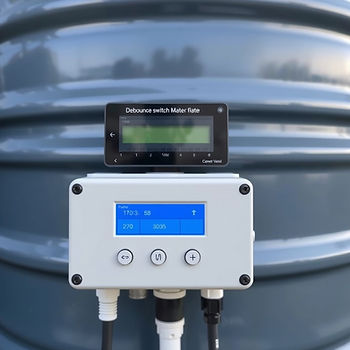
Have you ever heard of this kind of switches? I guess you know them well but still it is worthy to understand their innerworkings and actually implement one in our favorite scripting environment - Process Simulate.
Debouncing means removing unwanted noise from any kind of input. It prevents devices from triggering too often. A debounce switch activates/deactivates its output only when the input is stable for a predefined period of time. In other words it makes sure that short pulses don’t change the output.
Imagine a water tank with a level sensor. When the water is filled up the level changes but until the level is stable you'll probably get fluctuations from the level sensor. A debounce switch can help you get a stable reading by removing these fluctuations.
How it works?
It consists of two TON timers and a S-R latch. Simple stuff.
Practical use case: S-R Latch already explains the latch so what is left for now is to discuss the switch itself.
Here is the code:
FUNCTION_BLOCK "DEBOUNCE"
VERSION:1.0
VAR_INPUT
	CLK:BOOL;				// input
	PT:TIME;					// debounce time
END_VAR
VAR_OUTPUT
	Q:BOOL;					// output
	ET:TIME;					// elapsed time before switch off
END_VAR
VAR
	ton1:TON_TIME;
	ton2:TON_TIME;
	sr:"SR_LATCH";
END_VAR
BEGIN
	#ton1(IN:=#CLK, PT:=#PT);		// start the first timer
	#ton2(IN:=NOT #CLK, PT:=#PT);	// start the second timer
	#sr(S:=#ton1.Q, R:=#ton2.Q);	// call the latch
	#Q := #sr.Q;
	#ET := #ton2.ET;
END_FUNCTION_BLOCK
As you might have noticed the timers are started in a mutually exclusive way. When the first works the second is idle. When the second works - the first one is idle. The output of the first timer is used as a set signal for the latch. The output of the second timer is used as a reset signal for the latch.
As with the other FB scripts, save it to a UTF-8 encoded .scl text file, import it into Process Simulate or put it in the SCL_PATH. Then declare a static variable of type "DEBOUNCE" in your main script and call it like any other FB.
FUNCTION_BLOCK "MAIN"
VERSION:1.0
VAR_INPUT
	in : BOOL;
END_VAR
VAR_OUTPUT
	out : BOOL;
	et : DINT;
END_VAR
VAR
	deb : "DEBOUNCE";
END_VAR
BEGIN
    #deb(CLK:=#in, PT:=T#1s);
    #out := #deb.Q;
    #et := #deb.ET;
END_FUNCTION_BLOCK
Paste this in the SCL editor (using the button on the toolbar), connect signals and watch it work.
The switch is simple, reusable and predictable.
Exactly how it should be!


Comments